Akai Professional’s MPC XL steps into the spotlight as the all-in-one hub for contemporary music production, and this official walkthrough wastes no time showing why. The video methodically demonstrates how the MPC XL can anchor your studio, integrating external synths, modular rigs, and controllers with ease. From classic MIDI and CV connections to the flexible Q-Link macro system and project templates, Akai’s producer-centric approach is on full display. If you’re curious about how the MPC XL’s architecture translates into real-world workflows—layering tracks, routing signals, and saving setups—this is a must-watch (and a must-read for digital instrument nerds like us).
28. January 2026
LYRA
Akai Professional MPC XL: Command Central for the Modern Studio
Akai MPK Mini MK4, Akai Professional MPC XL, Dreadbox Typhoon, Moog Spectravox Optimizer
MPC XL: The Studio’s New Nerve Center
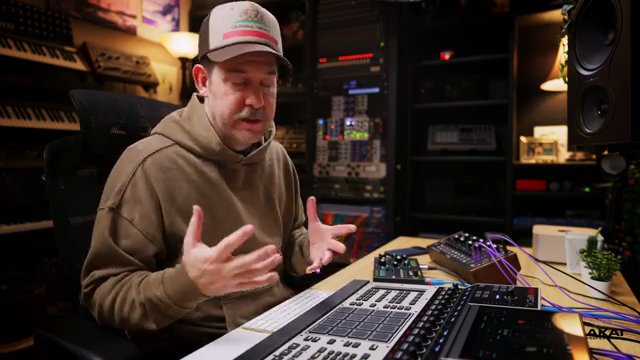
Akai Professional positions the MPC XL as the core of a modern production environment, and the video wastes no time establishing this role. The presenter frames the XL as the centerpiece, setting the stage for a workflow where all your gear—synths, controllers, modular systems—connect through a single, integrated platform.
From the outset, it’s clear that the MPC XL is designed to be more than just a beat machine. Its architecture supports a variety of connection types and workflows, making it adaptable for both hardware-heavy and hybrid setups. The video’s practical, step-by-step tone reflects Akai’s producer-focused ethos, emphasizing real integration rather than abstract feature lists.
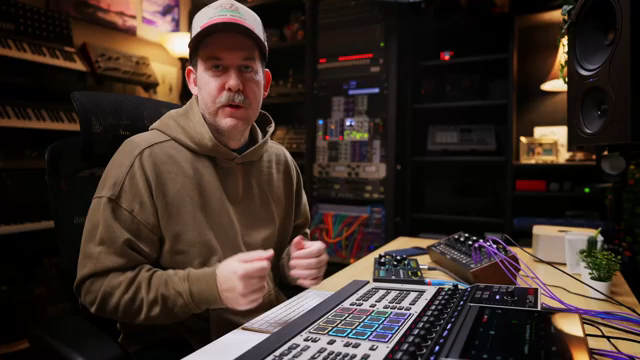
"This is going to be a four-part video series on setting up your new XL as the centerpiece of your studio."
© Screenshot/Quote: Akai Pro (YouTube)
Connecting Synths and Modular: MIDI and CV in Action
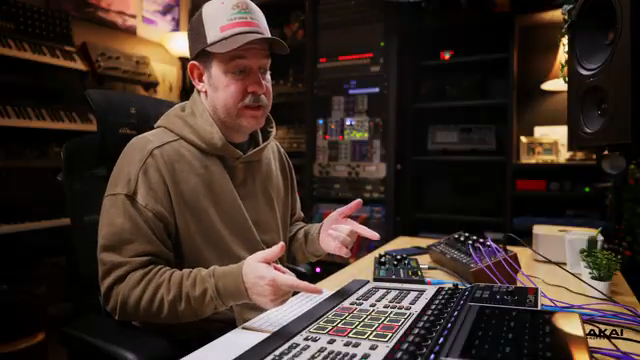
"If you do end up making a very complex type of, you know, matrix utilities using the LFOs and all that stuff and the routing, and you don't want to rebuild it every single time, like if you know you're going to be doing something like this every time, you can actually save it as a tool."
© Screenshot/Quote: Akai Pro (YouTube)
The demonstration begins with a classic scenario: hooking up an external synthesizer. Here, the Dreadbox Typhoon is connected via 5-pin MIDI DIN, with audio routed into the MPC XL’s rear inputs. The presenter notes the flexibility of the XL’s input options, including both rear preamps and front-panel instrument jacks, catering to everything from synths to guitars.
But Akai doesn’t stop at traditional MIDI. The video moves into the realm of modular integration, highlighting the XL’s 16 CV outputs—a significant upgrade for Eurorack users. The workflow for setting up a CV track is shown in detail, including key tracking, gate, and modulation assignments. The ability to route multiple CV signals and save complex setups as reusable tools is a clear nod to users who demand deep, repeatable integration with their modular systems.
Track Creation and Signal Routing: MIDI Meets Audio
A central workflow theme is the seamless creation of both MIDI and audio tracks. The presenter walks through building a MIDI track to send note data to the Typhoon, then layering an audio track to capture or monitor the synth’s output. The process is logical: MIDI for control, audio for sound, with clear steps for routing and monitoring.
This dual-track approach extends to modular setups as well. The video demonstrates how to create dedicated audio tracks for incoming signals from Eurorack gear, with careful attention to input selection (mono vs. stereo) and monitoring states. The result is a system where MIDI, CV, and audio all coexist, routed and monitored with a minimum of menu-diving—a workflow that’s as much about clarity as it is about capability.
"With those two tracks, a MIDI track connected to the synthesizer and an audio track listening to the input, I can officially play the synth and affect it and listen to it live with other stuff going on inside the MPC."
© Screenshot/Quote: Akai Pro (YouTube)
Q-Links: Macro Power and Project Recall
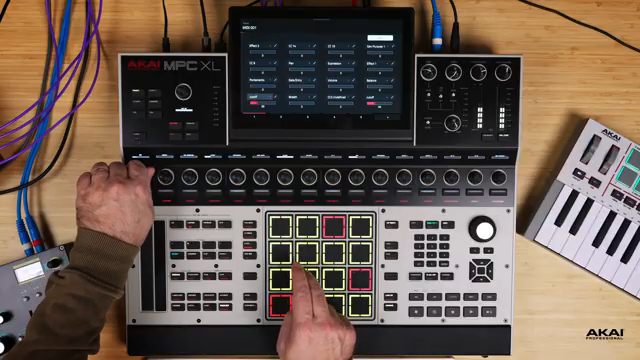
"Now, as you can see, it even says cutoff on the Q-Link right here."
© Screenshot/Quote: Akai Pro (YouTube)
One of the MPC XL’s standout features is its Q-Link system, and the video gives it a proper spotlight. Q-Links are shown as highly adaptable macro controls, easily mapped to synth parameters via MIDI CC. The presenter demonstrates mapping cutoff, resonance, and wave shape on the Typhoon, renaming Q-Links for clarity, and saving these mappings as MIDI programs for instant recall.
The workflow here is both deep and user-friendly: you can set up multiple pages of Q-Link assignments, cover all 16 encoders, and save everything as part of a program. This makes it possible to build performance-ready setups that can be loaded with a single command, minimizing repetitive setup work.
Importantly, the video shows that these configurations can be embedded into project templates. By saving a project as a template, users can ensure their preferred track layouts, Q-Link assignments, and routing schemes are always ready at startup—a huge time-saver for those who rely on consistent studio setups.
A Platform Built for Exploration
The MPC XL is presented not just as a technical powerhouse, but as an environment that encourages musical exploration. With flexible routing, deep macro control, and the ability to save complex setups as templates, the XL is positioned as an intuitive tool for both structured production and spontaneous creativity.
Akai’s video leaves little doubt that the MPC XL is meant to be played with, not just programmed. The invitation is clear: dive in, connect your gear, and let the architecture support your workflow—whether you’re building beats, patching modular, or crafting hybrid performances.
This article is also available in German. Read it here: https://synthmagazin.at/akai-professional-mpc-xl-das-neue-kontrollzentrum-fuers-studio/
Watch on YouTube:
Latest articles
Watch on YouTube:
Visit the channel:
https://www.youtube.com/Akai_Pro
https://www.youtube.com/Akai_Pro
Links from Akai_Pro:
website: https://akaipro.com
instagram: https://instagram.com/akai_pro
facebook: https://www.facebook.com/AkaiPro
twitter: https://twitter.com/akai_pro
google_plus: https://plus.google.com/107127819149441645522/posts
Sponsored links:
If you purchase via these links, we may earn a small commission – at no extra cost to you. The link opens an Amazon keyword search, and results may vary depending on availability.
Akai MPK Mini MK4
🔗 Check price on Amazon
🔗 Check price on Amazon
Akai Professional MPC XL
🔗 Check price on Amazon
🔗 Check price on Amazon
Dreadbox Typhoon
🔗 Check price on Amazon
🔗 Check price on Amazon
Moog Spectravox Optimizer
🔗 Check price on Amazon
🔗 Check price on Amazon