Akai Professional returns to its roots with the MPC Key 37 G2, a compact production keyboard that promises to bring the full MPC sampling workflow into a laptop-free, all-in-one device. In this official walkthrough, the focus is squarely on how sampling connects with modern music creation—from vinyl to smartphones and everything in between. With USB-C and classic input options, Akai demonstrates just how frictionless capturing and manipulating sound has become. For those who live by pads and crave the efficiency of the MPC ecosystem, this video is a revealing deep dive into what the G2 brings to the table—without hiding behind hype or skipping the nitty-gritty of the workflow.
23. June 2026
LYRA
Akai Professional MPC Key 37 G2: Sampling Workflow Unleashed
No Laptop, No Limits: MPC Key 37 G2 Unboxed
Akai Professional introduces the MPC Key 37 G2 as a standalone production keyboard designed to free users from laptop dependency. This device brings together the classic MPC workflow with a compact 37-key form factor, targeting musicians who value portability without sacrificing depth. The opening of the video positions the G2 as the ideal bridge for those who want to compose on keys but rely on the hands-on, pad-driven approach that defines the MPC lineage.
From the outset, the emphasis is on the self-contained nature of the unit: sampling, sequencing, and arranging are all handled internally. There’s a clear focus on how the G2 integrates modern track and arrangement tools from MPC3, aiming to deliver a streamlined experience for both studio heads and mobile producers. The message is clear—this is an MPC designed to travel light but work hard.
Sampling Sources: USB-C, Vinyl, and Versatility
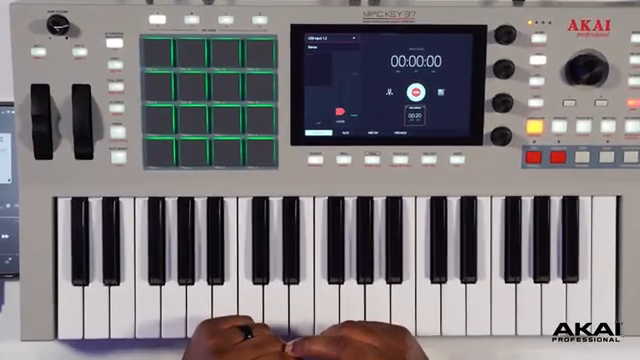
The video quickly demonstrates the MPC Key 37 G2’s flexible approach to sampling. With a USB-C port at its core, the device is shown capturing sound effortlessly from a smartphone—a nod to today’s hybrid production setups. Akai highlights that connecting your phone via USB-C is as simple as plugging in, and the G2 instantly recognizes the input, ready for sampling.
Not content with just digital sources, Akai also acknowledges analog workflows. The presenter walks through using a Y-cable to connect gear like vinyl players or older smartphones via the classic quarter-inch and eighth-inch jacks. The process for selecting inputs and preparing the device for sampling is direct, reinforcing the idea that the MPC Key 37 G2 is built to accommodate both modern and traditional sampling sources.
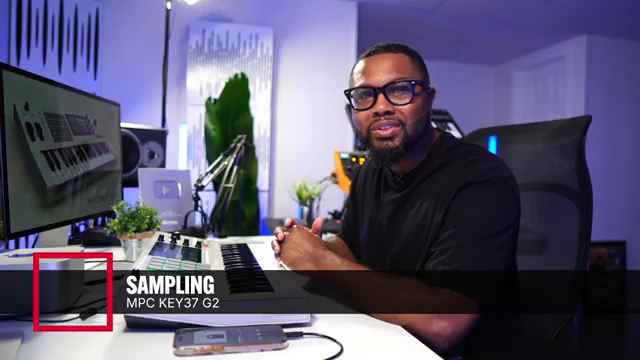
"You could take the USB-C cable and plug it into the USB-C input on your MPC-Key 37 G2."
© Screenshot/Quote: Akai Pro (YouTube)
From Input to Drum Track: Core Workflow Tools
"We're going to change the input monitoring from off to in so you can turn that on and now we can hear what's coming from our iPhone."
© Screenshot/Quote: Akai Pro (YouTube)
Sampling on the G2 starts with intuitive input monitoring and straightforward sample editing. Input monitoring can be toggled to allow real-time audition of the incoming signal—essential for getting levels and timing right before recording. Once a sample is captured, users are guided through assigning it, renaming it for clarity, and diving into the edit page for precise trimming and processing.
The editing workflow stands out for its combination of touchscreen and hardware controls. Manual chopping allows for real-time placement of slice points, giving users hands-on control over how the sample is divided. Once chopped, the sample can be quickly converted into a new drum track, leveraging the slices for immediate rhythmic programming. The workflow is presented as fast and non-disruptive, with dedicated controls and clear menu navigation.
Layering, Effects, and Creative Expansion
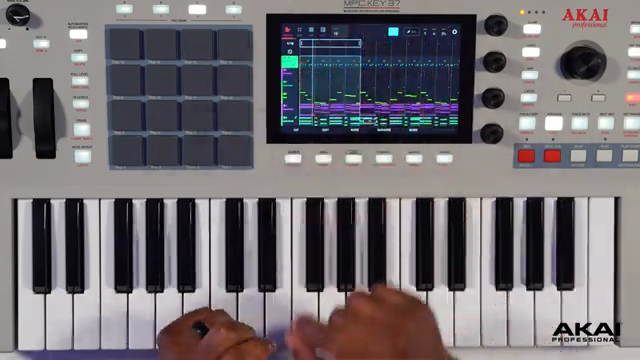
With the sample now living in a drum program, the G2 enables further manipulation through pitch shifting, Q-link controlled mixing, and deep grid editing. The video showcases how nudging sample placements in the grid can dramatically change the groove, with the presenter referencing the creation of a “J Dilla” style swing—an example of how micro-timing and hands-on editing come together in the MPC environment.
Creative workflows are pushed further with the addition of effects and layering. The process of adding filters, EQ, and software instruments is shown to be streamlined via the channel strip and effects menus. From laying down bass patches to stacking melodic layers with quick patch browsing, the G2’s interface encourages experimentation. The demonstration wraps with melodic synth lines and vocal chops, all layered seamlessly—underscoring how the MPC Key 37 G2 keeps the user in a state of creative flow.
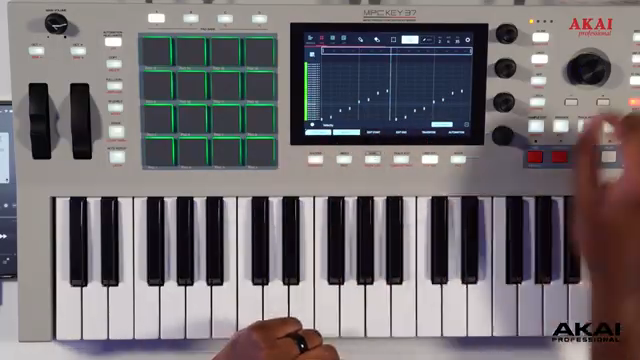
"Then we're going to nudge these samples behind the beat here."
© Screenshot/Quote: Akai Pro (YouTube)
This article is also available in German. Read it here: https://synthmagazin.at/akai-professional-mpc-key-37-g2-sampling-workflow-entfesselt/
More articles about these products:
Watch on YouTube:
Latest articles
Watch on YouTube:
Visit the channel:
https://www.youtube.com/Akai_Pro
https://www.youtube.com/Akai_Pro
Links from Akai_Pro:
website: https://akaipro.com
instagram: https://instagram.com/akai_pro
facebook: https://www.facebook.com/AkaiPro
twitter: https://twitter.com/akai_pro
google_plus: https://plus.google.com/107127819149441645522/posts
Sponsored links:
If you purchase via these links, we may earn a small commission – at no extra cost to you. The link opens an Amazon keyword search, and results may vary depending on availability.
MPC Key 37 G2
🔗 Check price on Amazon
🔗 Check price on Amazon